
Genesis doesn’t have any options to customize the position of its featured image. If you want to reposition or move featured images to any specific position then you will have to edit your child theme’s function.php file. If you are planning to redesign or create a custom genesis child theme, then you must check out this guide. Reposition Genesis Featured ․․․
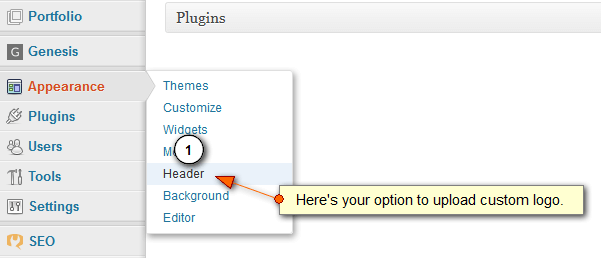
How To Add Logo To Genesis Child Theme
In this tutorial, you learn to add a logo to the genesis child theme or framework. I think you already know how important a logo for a brand is. It is essential for all blogs and businesses, small or big does not matter. Today every big brand can be recognized by their logo and by the quality of their product ․․․
How To Load Custom Stylesheet In Genesis Theme
Genesis offer dozens of possibilities to customize and personalize your website. One among its ability is to allow the integration for custom stylesheet. This feature allows you to take your website’s design to new level. Actually using custom stylesheet allows you to modify the design and content layout of your website without touching or editing the original theme’s style. This ․․․

Customize Or Remove Genesis Footer Credit Links – Updated
How to exactly modify or remove genesis footer credit links. If you use Genesis theme framework for your website and have installed any child theme or using just the framework, then you might have noticed that in the footer there is a link back to studiopress website. This link can create some serious SEO problems, actually related to Google Penguin. ․․․

Modify & Reposition Genesis Breadcrumb
Want to modify or reposition genesis breadcrumb, here two simple code snippets to help you. Actually, breadcrumb navigation has lots of importance considering the SEO and user experience. It helps your readers and customers to easily navigate through your categories and posts. Additionally, it even helps Google to form the site link structure or your website. This, in turn, helps ․․․

Font Awesome Doesn’t Work In Firefox : Fixed
If you are using font awesome then you might have noticed that icons fonts don’t appear in Firefox and it happens when you try to use CDN services. The reason is, when we use any content delivery network then the contents are not served directly from origin server but are served from other domain that’s yourcdn.domain.com ( which is a ․․․
Add Social Media Sharing Buttons To WordPress Without Plugin – Updated
Recently I developed a plugin named fast social shares and after posting an article about it, many of my readers contacted me asking how to add social media sharing buttons in wordpress without using plugins. My addon is mobile responsive and uses no JavaScript. It has clean and commented codes and is really easy to customise. In simple terms, it ․․․